Automate anything. Just show Echo how.
Record a workflow once — Echo learns it. Then run it forever: by voice, by schedule, or automatically. Powered by Gemini.
Trusted by teams building the future of AI.
From prototype to production.












How Echo works
Show it once. Run it forever.
Show Echo what to do
Record a video or take screenshots of any workflow. Gemini 2.5 Pro synthesizes it into a step-by-step AI plan in seconds.

Don't have an account?
“Setting up auth took us 10 minutes instead of 2 weeks. The SDK just works out of the box with zero configuration. Our team shipped the entire login flow before lunch. Best developer experience we've had.”

Live vision execution
EchoPrism watches your screen in real time, deciding each click and keystroke using OmniParser grounding — not blind guessing.
Voice control, anytime
Say “run my report” to start, or interrupt mid-run to redirect. EchoPrism listens via LiveKit + Gemini Live and responds instantly.



Browser & desktop, natively
Works on any web app in Chrome and on native desktop apps through our Electron agent. No browser extension needed.
Gemini-powered
Vision, synthesis, and native audio all run on Gemini 2.5 Pro — the same model that sees, thinks, and speaks.
Connect your tools
Deep integrations with Slack, Gmail, GitHub, Notion, Google Sheets, Google Calendar, and Linear.
Built on Google Cloud
Cloud Run, Firestore, Vertex AI, and GCS — enterprise-grade infrastructure with zero servers to manage.
Who Echo is for
Echo isn't just for developers. It's for anyone who has ever had to explain something that would be faster to just show.
"EchoPrism, file my expenses."
Sarah has early-stage Parkinson's. The mouse is hard. Now she says three words and watches her computer do the rest — no clicking, no keyboard, no frustration.
"Dad stopped calling me for IT help."
Marcus recorded his dad's most common computer tasks once. Now his dad runs them with a voice command. Shared in 30 seconds. Zero setup required.
"12 reports. Zero minutes."
Emily runs a Monday digest across 12 clients. Echo does all 12 while she's in standup. It interrupted itself once to ask a question — and handled her answer mid-run.
Run Echo anywhere
From your web dashboard to your desktop to your voice — Echo is always one command away.

Voice from any device
Trigger any workflow hands-free. Say it, and EchoPrism handles the rest — no mouse, no keyboard needed.
Full desktop control
Browser tabs, native apps, system dialogs — EchoPrism sees and controls your entire screen.
Web dashboard
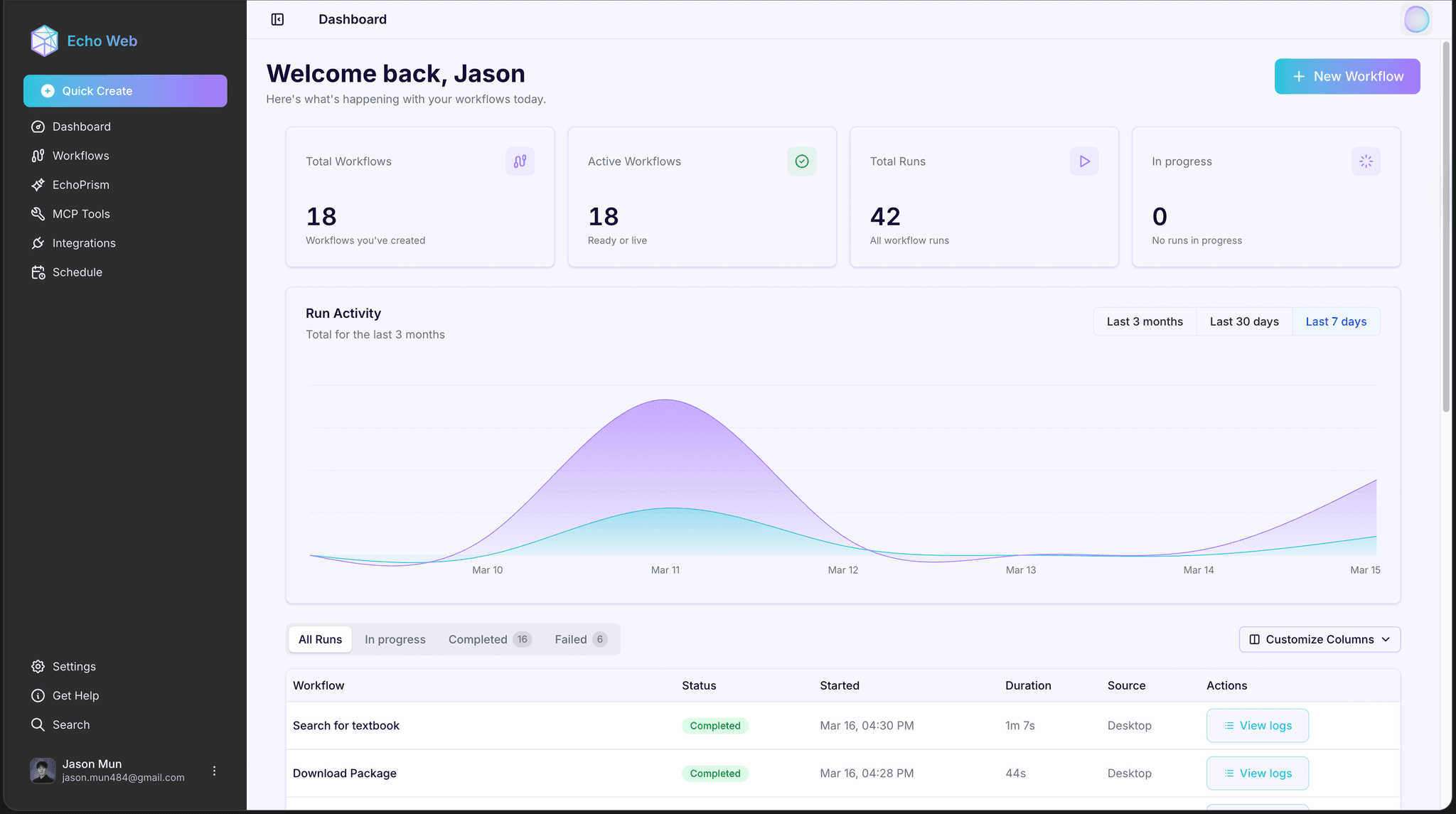
Monitor live runs, review thought logs, share workflows, and manage your team from anywhere.


Live thought stream
See exactly what EchoPrism is thinking at every step — full transparency into your agent's reasoning and actions.

Visual grounding, not guessing
OmniParser detects real UI elements. EchoPrism clicks what it sees — not estimated coordinates.



Gets smarter over time
Every completed run is scored and used to fine-tune your personal Echo model — it learns your workflows.
Early Access
Echo is currently in private beta. We're onboarding teams and individuals who want to automate their most time-consuming workflows — including accessibility-focused use cases.
Request early access
Get access to the Echo desktop app, voice agent, and workflow builder. No credit card required.
Frequently Asked Questions
Everything you need to know about Echo, EchoPrism, and automating your workflows with voice and AI vision.
What Echo can do
Voice & AI
Privacy & security
Start building autonomous workflows today.
Build, deploy, and orchestrate intelligent AI agents that automate complex workflows, make decisions, and execute tasks autonomously.